- Community Home
- >
- Servers and Operating Systems
- >
- HPE ProLiant
- >
- HPE ProLiant Servers - Netservers
- >
- ProLiant MicroServer Gen10 Plus update problem.
Categories
Company
Local Language
Forums
Discussions
- Integrity Servers
- Server Clustering
- HPE NonStop Compute
- HPE Apollo Systems
- High Performance Computing
Knowledge Base
Forums
- Data Protection and Retention
- Entry Storage Systems
- Legacy
- Midrange and Enterprise Storage
- Storage Networking
- HPE Nimble Storage
Discussions
Knowledge Base
Forums
Discussions
- Cloud Mentoring and Education
- Software - General
- HPE OneView
- HPE Ezmeral Software platform
- HPE OpsRamp Software
Knowledge Base
Discussions
Forums
Discussions
Discussion Boards
Discussion Boards
Discussion Boards
Discussion Boards
Discussion Boards
Discussion Boards
Discussion Boards
Discussion Boards
Discussion Boards
Discussion Boards
Discussion Boards
Discussion Boards
Discussion Boards
Discussion Boards
Discussion Boards
Discussion Boards
Discussion Boards
Discussion Boards
Discussion Boards
Discussion Boards
Discussion Boards
Discussion Boards
Discussion Boards
Community
Resources
Forums
Blogs
- Subscribe to RSS Feed
- Mark Topic as New
- Mark Topic as Read
- Float this Topic for Current User
- Bookmark
- Subscribe
- Printer Friendly Page

- Mark as New
- Bookmark
- Subscribe
- Mute
- Subscribe to RSS Feed
- Permalink
- Report Inappropriate Content
08-03-2023 12:12 AM - last edited on 08-09-2023 12:53 AM by support_s
08-03-2023 12:12 AM - last edited on 08-09-2023 12:53 AM by support_s
Hello,
i have problem with self-update of Intelligent Provisioning.
When it's start i see these problems:
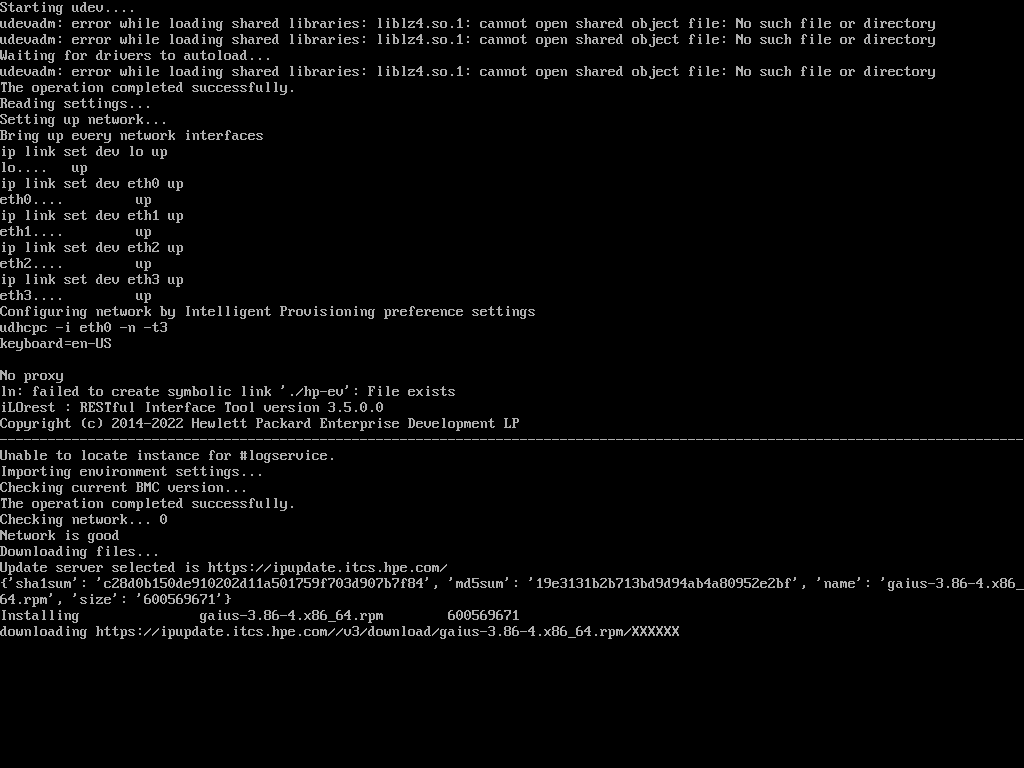
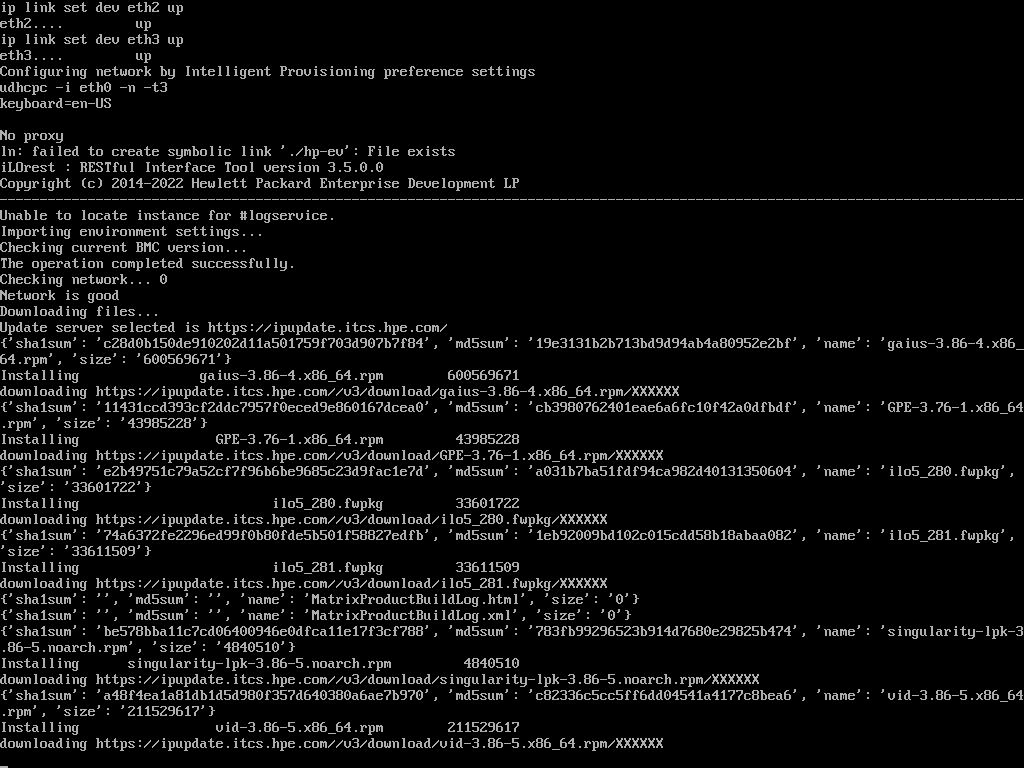
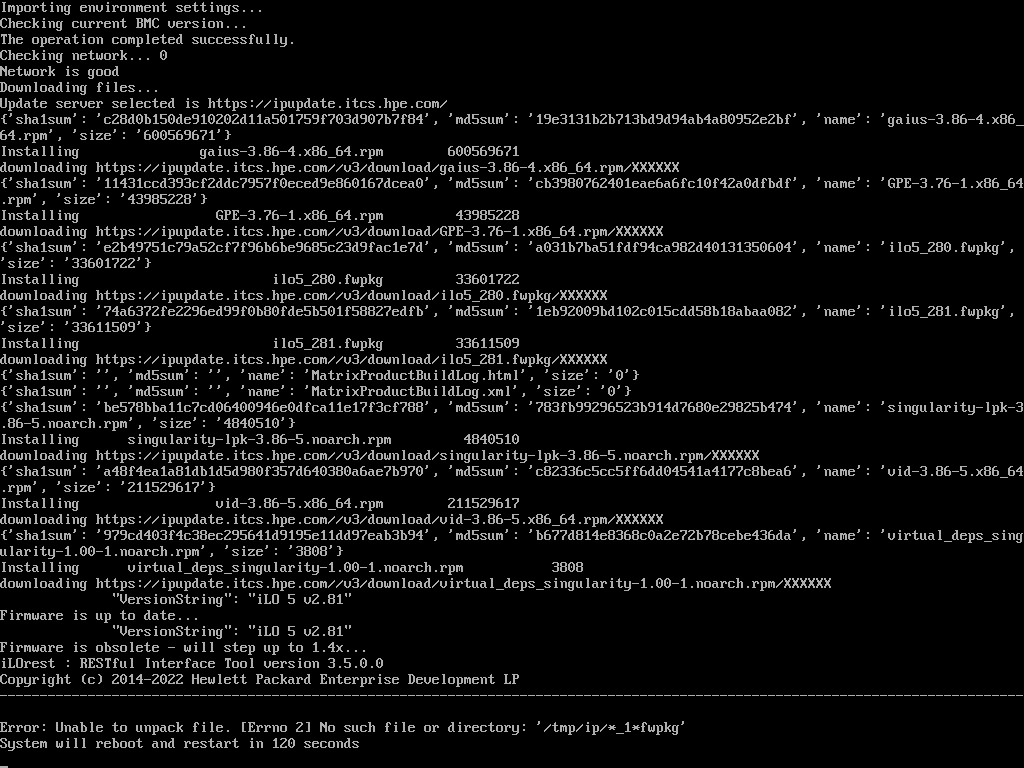
After reboot, the update starts in the same place.
Anyone have idea, what i can do in this case ?
Solved! Go to Solution.
- Tags:
- Prolaint server

- Mark as New
- Bookmark
- Subscribe
- Mute
- Subscribe to RSS Feed
- Permalink
- Report Inappropriate Content
08-06-2023 11:01 PM
08-06-2023 11:01 PM
Re: ProLiant MicroServer Gen10 Plus update problem.
Greetings!
What is the Intelligent provisioning version that you are using?
If not running on latest revision, please update Intelligent Provisioning Recovery Media for Gen10 and Gen10 Plus to latest revison 3.86 and check the result.
I work at HPE
HPE Support Center offers support for your HPE services and products when and how you need it. Get started with HPE Support Center today.
[Any personal opinions expressed are mine, and not official statements on behalf of Hewlett Packard Enterprise]


- Mark as New
- Bookmark
- Subscribe
- Mute
- Subscribe to RSS Feed
- Permalink
- Report Inappropriate Content
08-21-2023 07:59 AM
08-21-2023 07:59 AM
Re: ProLiant MicroServer Gen10 Plus update problem.
Hello @Ant-Z,
Let us know if you were able to resolve the issue.
If you have no further query and you are satisfied with the answer then kindly mark the topic as Solved so that it is helpful for all community members.
- Mark as New
- Bookmark
- Subscribe
- Mute
- Subscribe to RSS Feed
- Permalink
- Report Inappropriate Content
09-14-2023 09:57 AM - last edited on 09-14-2023 10:57 PM by Sunitha_Mod
09-14-2023 09:57 AM - last edited on 09-14-2023 10:57 PM by Sunitha_Mod
Re: ProLiant MicroServer Gen10 Plus update problem.
- Mark as New
- Bookmark
- Subscribe
- Mute
- Subscribe to RSS Feed
- Permalink
- Report Inappropriate Content
09-15-2023 02:04 AM
09-15-2023 02:04 AM
SolutionGreetings!
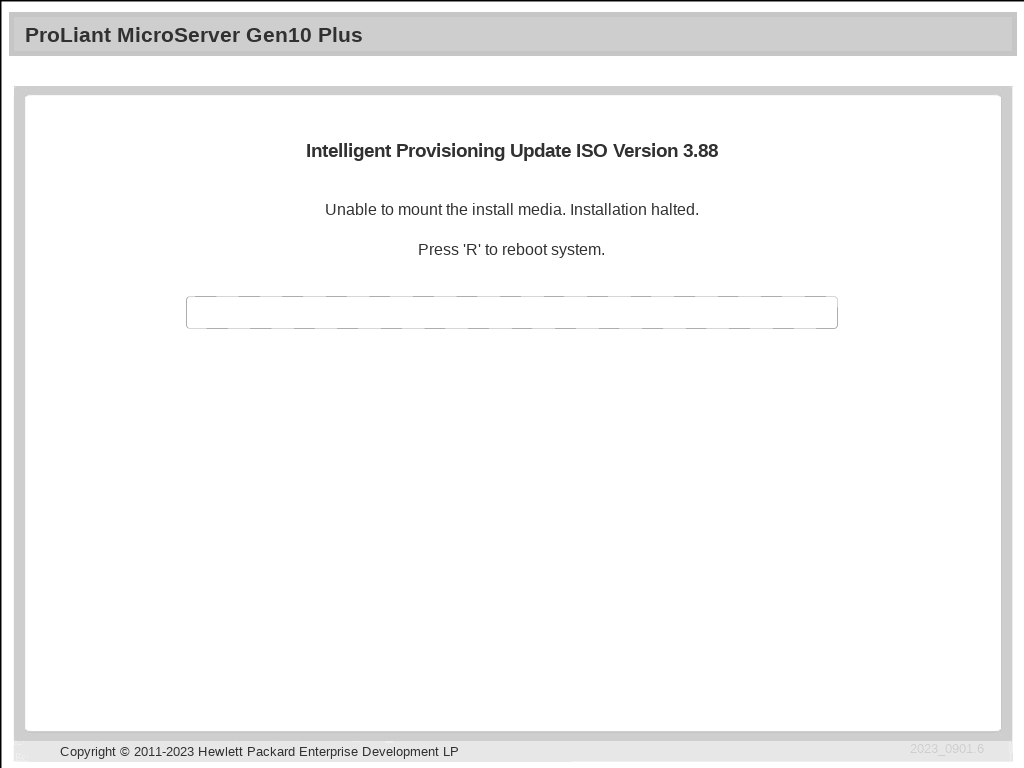
How can the installation media be connected? Is it done via iLO or by using a USB?
Please utilize the "USB Key Utility for Windows" to generate a bootable USB and verify the outcome.
https://support.hpe.com/hpesc/public/swd/detail?swItemId=MTX_360731071b404454b454390208
If you're mounting the image via iLO, please make sure that the encryption settings are configured for production.
Refer page 343. https://www.hpe.com/psnow/doc/a00092479en_us
If the problem continues, consider attempting version 3.86 and then assess the outcome.
I work at HPE
HPE Support Center offers support for your HPE services and products when and how you need it. Get started with HPE Support Center today.
[Any personal opinions expressed are mine, and not official statements on behalf of Hewlett Packard Enterprise]
- Mark as New
- Bookmark
- Subscribe
- Mute
- Subscribe to RSS Feed
- Permalink
- Report Inappropriate Content
09-21-2023 11:29 PM
09-21-2023 11:29 PM
Re: ProLiant MicroServer Gen10 Plus update problem.
Hello,
Thank you for your help, now it's working. Before i used Rufus to create USB and that was problem.
- Mark as New
- Bookmark
- Subscribe
- Mute
- Subscribe to RSS Feed
- Permalink
- Report Inappropriate Content
09-22-2023 12:15 AM
09-22-2023 12:15 AM
Re: ProLiant MicroServer Gen10 Plus update problem.
- Mark as New
- Bookmark
- Subscribe
- Mute
- Subscribe to RSS Feed
- Permalink
- Report Inappropriate Content
12-05-2024 02:59 PM
12-05-2024 02:59 PM
Re: ProLiant MicroServer Gen10 Plus update problem.
Hello I have the same problem, can you help me please
I tried to do the same, but the page where I could download the Gen10 Service Pack for ProLiant from the HP page but the page gave me this problem and I couldn't make the USB KEY
We are sorry
HPE regrets it cannot process your request at this time.
Should you have any questions, you can contact us via email or live chat
- Mark as New
- Bookmark
- Subscribe
- Mute
- Subscribe to RSS Feed
- Permalink
- Report Inappropriate Content
12-08-2024 09:48 PM