- Community Home
- >
- Servers and Operating Systems
- >
- HPE ProLiant
- >
- Servers - General
- >
- Re: OS install bios has corrupted
Categories
Company
Local Language
Forums
Discussions
- Integrity Servers
- Server Clustering
- HPE NonStop Compute
- HPE Apollo Systems
- High Performance Computing
Knowledge Base
Forums
- Data Protection and Retention
- Entry Storage Systems
- Legacy
- Midrange and Enterprise Storage
- Storage Networking
- HPE Nimble Storage
Discussions
Knowledge Base
Forums
Discussions
- Cloud Mentoring and Education
- Software - General
- HPE OneView
- HPE Ezmeral Software platform
- HPE OpsRamp Software
Knowledge Base
Discussions
Forums
Discussions
Discussion Boards
Discussion Boards
Discussion Boards
Discussion Boards
Discussion Boards
Discussion Boards
Discussion Boards
Discussion Boards
Discussion Boards
Discussion Boards
Discussion Boards
Discussion Boards
Discussion Boards
Discussion Boards
Discussion Boards
Discussion Boards
Discussion Boards
Discussion Boards
Discussion Boards
Discussion Boards
Discussion Boards
Discussion Boards
Discussion Boards
Community
Resources
Forums
Blogs
- Subscribe to RSS Feed
- Mark Topic as New
- Mark Topic as Read
- Float this Topic for Current User
- Bookmark
- Subscribe
- Printer Friendly Page

- Mark as New
- Bookmark
- Subscribe
- Mute
- Subscribe to RSS Feed
- Permalink
- Report Inappropriate Content
12-07-2023 01:22 PM - last edited on 12-10-2023 07:48 PM by support_s
12-07-2023 01:22 PM - last edited on 12-10-2023 07:48 PM by support_s
OS install bios has corrupted
Hi
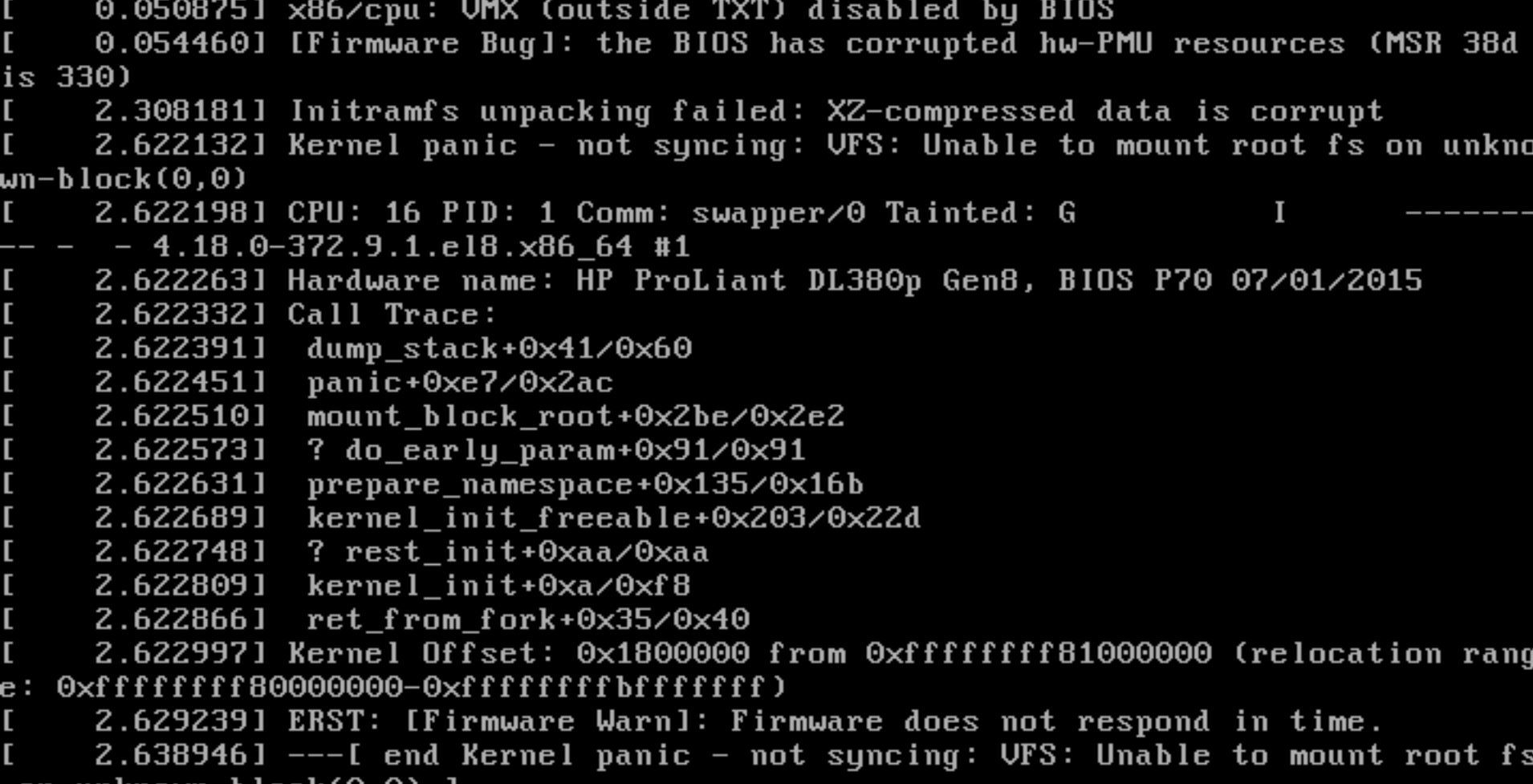
When I want to install the operating system, the server sometimes switches to the visual interface but does not allow me to operate. the screen where the language and similar settings are selected, the mouse operates very slowly or even not at all.
I tried two different operating systems but got the same error.
I do not have any information on the server, I want to install a new operating system, what can I do?
- Tags:
- Prolaint server

- Mark as New
- Bookmark
- Subscribe
- Mute
- Subscribe to RSS Feed
- Permalink
- Report Inappropriate Content
12-08-2023 06:23 AM
12-08-2023 06:23 AM
Re: OS install bios has corrupted
Hello,
Depending on the server model, you may create a RAID array and then install the operating system on the created logical drive. Also, download and install the storage controller drivers along with the operating system as needed and see if it helps.
Regards,
I work at HPE
HPE Support Center offers support for your HPE services and products when and how you need it. Get started with HPE Support Center today.
[All opinions expressed here are mine, and not official statements on behalf of Hewlett Packard Enterprise]
