- Community Home
- >
- Storage
- >
- Midrange and Enterprise Storage
- >
- HPE EVA Storage
- >
- Disk Group Deletion on EVA8100
Categories
Company
Local Language
Forums
Discussions
Knowledge Base
Forums
- Data Protection and Retention
- Entry Storage Systems
- Legacy
- Midrange and Enterprise Storage
- Storage Networking
- HPE Nimble Storage
Discussions
Forums
Discussions
Discussions
Forums
Discussions
Discussion Boards
Discussion Boards
Discussion Boards
Discussion Boards
Discussion Boards
Discussion Boards
Discussion Boards
Discussion Boards
Discussion Boards
Discussion Boards
Discussion Boards
Discussion Boards
Discussion Boards
Discussion Boards
Discussion Boards
Discussion Boards
Discussion Boards
Discussion Boards
Discussion Boards
Discussion Boards
Discussion Boards
Discussion Boards
Discussion Boards
Community
Resources
Forums
Blogs
- Subscribe to RSS Feed
- Mark Topic as New
- Mark Topic as Read
- Float this Topic for Current User
- Bookmark
- Subscribe
- Printer Friendly Page

- Mark as New
- Bookmark
- Subscribe
- Mute
- Subscribe to RSS Feed
- Permalink
- Report Inappropriate Content
08-19-2013 07:46 AM - last edited on 04-19-2015 10:47 PM by Maiko-I
08-19-2013 07:46 AM - last edited on 04-19-2015 10:47 PM by Maiko-I
Disk Group Deletion on EVA8100
Hi,
When I tried to delete disk group of more than 18 disk drives on EVA8100 using HP CV 10.2, I got below message:
"If you delete this disk group, both controllers will simultaneously resynchronize in a fast restart, bypassing lengthy hardware diagnostics. Fast restart allows the controllers to complete the resynchronization sequence before the host timeout period elapses and the host becomes aware that the storage system is unavailable. Are you sure to continue?"
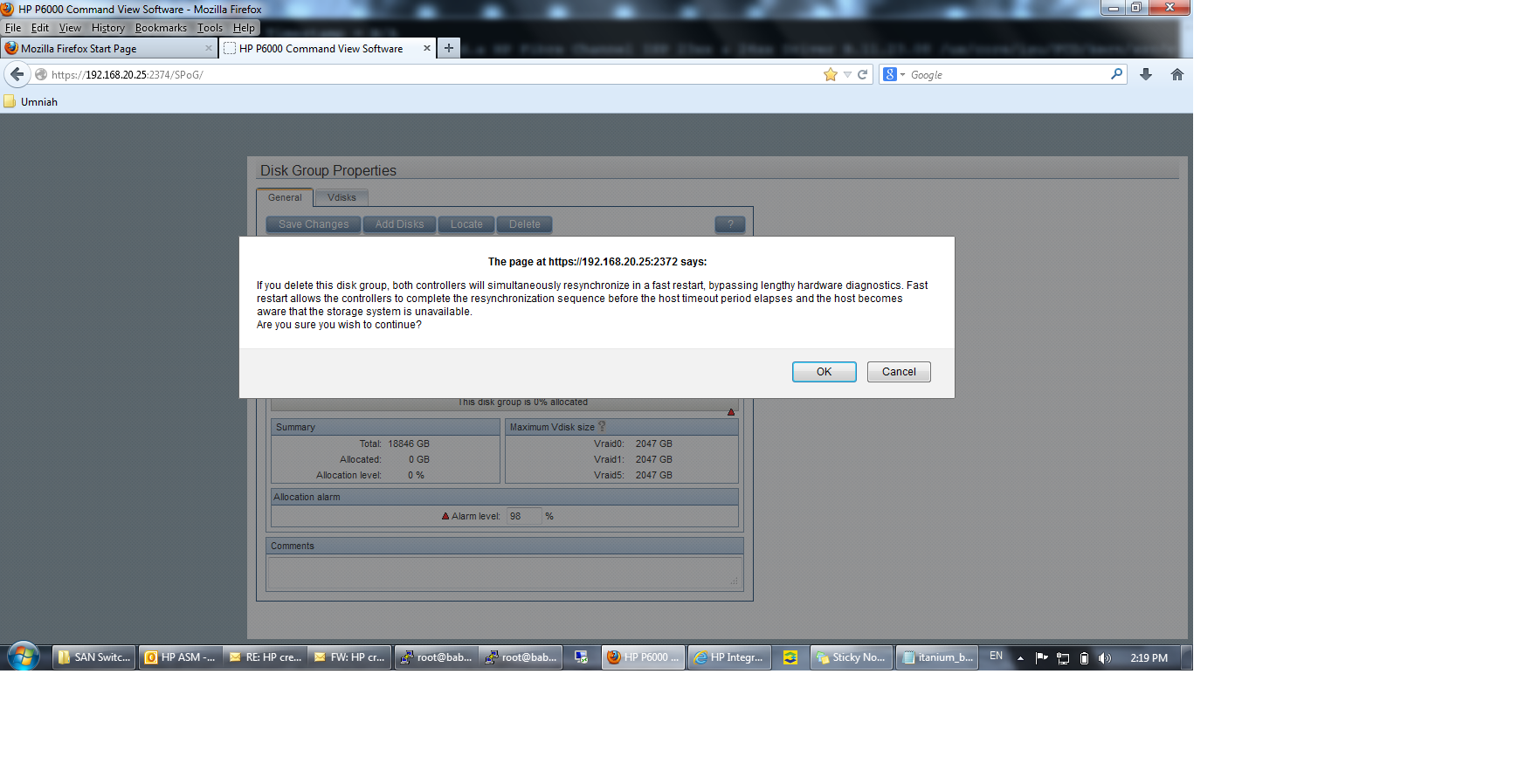
Please advise and confirm if this will or not stop all IOs from hosts or cause any disruption???
BR,
Emad
P.S. This thread has been moevd from Disk Array to Storage Area Networks (SAN) (Enterprise). - Hp Forum moderator

- Mark as New
- Bookmark
- Subscribe
- Mute
- Subscribe to RSS Feed
- Permalink
- Report Inappropriate Content
08-19-2013 08:07 AM
08-19-2013 08:07 AM
Re: Disk Group Deletion on EVA8100
Hi Emad
The answer to your questions is "depends".
A fast resync shouldn't take any longer then 60 seconds. During this time the controllers will be effectively offline. Your OS configuration will determine if the fast resync causes an outage or not.
You can amend your OS config to compensate for the delay in host IO in the same way you would if you were upgrading the Controller firmware. If you can let me know the OS you are running I'll check the timeout settings
Thanks

- Mark as New
- Bookmark
- Subscribe
- Mute
- Subscribe to RSS Feed
- Permalink
- Report Inappropriate Content
08-19-2013 09:59 AM
08-19-2013 09:59 AM
Re: Disk Group Deletion on EVA8100
Hi,
We have here different OS; HP-UX v2 and Windows 2k3/2k8.
Do I need to arrange for a downtime or is there any solution like deleting or removing disk by disk . . . . . etc. ??
Thank you for your reply , , ,
BR,
Emad Omar
- Mark as New
- Bookmark
- Subscribe
- Mute
- Subscribe to RSS Feed
- Permalink
- Report Inappropriate Content
08-19-2013 10:34 AM
08-19-2013 10:34 AM
Re: Disk Group Deletion on EVA8100
Hi Emad
I thought the guide was HP restricted but it turns out it's not so I've attached it for your reference. Operating systems like Windows require a reg change, this will require a reboot. Ensure you read the caution note regarding HP-UX before making any changes
Thanks
Michael


- Mark as New
- Bookmark
- Subscribe
- Mute
- Subscribe to RSS Feed
- Permalink
- Report Inappropriate Content
08-20-2013 11:33 AM
08-20-2013 11:33 AM
Re: Disk Group Deletion on EVA8100
shows resync time during an xcs upgrade (longer?). Also annoyingly wrong linebreak :)
resync time depends on load, number of disks and total storage space if I remember correctly.
There is a formula for how to calculate the approximate resync time based on disks/total space.