
- Community Home
- >
- Networking
- >
- IMC
- >
- Authentication error 802.1x with binding imc to LD...
Categories
Company
Local Language
Forums
Discussions
Knowledge Base
Forums
- Data Protection and Retention
- Entry Storage Systems
- Legacy
- Midrange and Enterprise Storage
- Storage Networking
- HPE Nimble Storage
Discussions
Knowledge Base
Forums
Discussions
- Cloud Mentoring and Education
- Software - General
- HPE OneView
- HPE Ezmeral Software platform
- HPE OpsRamp
Knowledge Base
Discussions
Forums
Discussions
Discussion Boards
Discussion Boards
Discussion Boards
Discussion Boards
Discussion Boards
Discussion Boards
Discussion Boards
Discussion Boards
Discussion Boards
Discussion Boards
Discussion Boards
Discussion Boards
Discussion Boards
Discussion Boards
Discussion Boards
Discussion Boards
Discussion Boards
Discussion Boards
Discussion Boards
Discussion Boards
Discussion Boards
Discussion Boards
Discussion Boards
Community
Resources
Forums
Blogs
- Subscribe to RSS Feed
- Mark Topic as New
- Mark Topic as Read
- Float this Topic for Current User
- Bookmark
- Subscribe
- Printer Friendly Page

- Mark as New
- Bookmark
- Subscribe
- Mute
- Subscribe to RSS Feed
- Permalink
- Report Inappropriate Content
05-04-2012 12:16 AM - edited 05-10-2012 11:40 PM
05-04-2012 12:16 AM - edited 05-10-2012 11:40 PM
Authentication error 802.1x with binding imc to LDAP Server
Hi everybody,
I have an error when i want login an Ldap user bound with IMC :
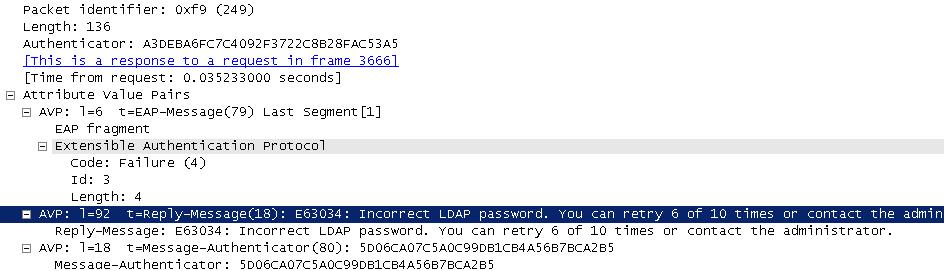
"E63034::Incorrect LDAP password, you will be added to the blacklist."
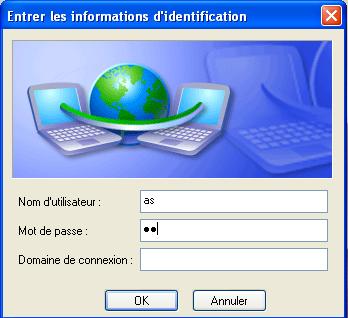
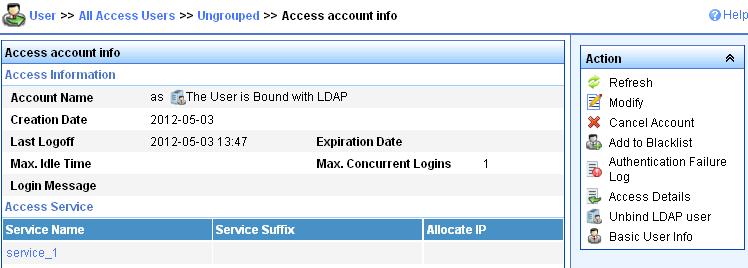
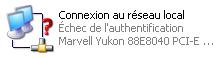
No connection, authentication error :
You can see it into the user's log Management :

It works when i unbind this user with the same password but i need to keep it bind with Ldap server.
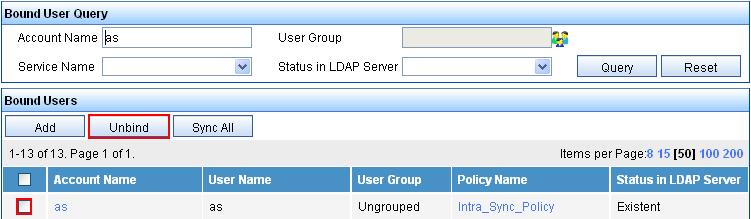
Then :

So...
And :
I don't know which level is the problem.
You can see on the frame analyser :
Someone can help me ?
Thank you for any good ideas.
- Tags:
- LDAP

- Mark as New
- Bookmark
- Subscribe
- Mute
- Subscribe to RSS Feed
- Permalink
- Report Inappropriate Content
08-23-2012 02:41 AM
08-23-2012 02:41 AM
Re: Authentication error 802.1x with binding imc to LDAP Server
Hello,
Did you configured correctly the AD peap parameters in IMC (UAM --> Service Parameters --> System Settings --> Domain Controller - Assisted PEAP Authentication).
After that you also have to define a "Virtual Computer" on your AD and give it same credentials as the one define in UAM parameters.
Regards,
Fabien