- Community Home
- >
- Storage
- >
- Entry Storage Systems
- >
- MSA Storage
- >
- Re: MSA preboarding relaunch
Categories
Company
Local Language
Forums
Discussions
Knowledge Base
Forums
- Data Protection and Retention
- Entry Storage Systems
- Legacy
- Midrange and Enterprise Storage
- Storage Networking
- HPE Nimble Storage
Discussions
Forums
Discussions
Discussions
Forums
Discussions
Discussion Boards
Discussion Boards
Discussion Boards
Discussion Boards
Discussion Boards
Discussion Boards
Discussion Boards
Discussion Boards
Discussion Boards
Discussion Boards
Discussion Boards
Discussion Boards
Discussion Boards
Discussion Boards
Discussion Boards
Discussion Boards
Discussion Boards
Discussion Boards
Discussion Boards
Discussion Boards
Discussion Boards
Discussion Boards
Discussion Boards
Community
Resources
Forums
Blogs
- Subscribe to RSS Feed
- Mark Topic as New
- Mark Topic as Read
- Float this Topic for Current User
- Bookmark
- Subscribe
- Printer Friendly Page

- Mark as New
- Bookmark
- Subscribe
- Mute
- Subscribe to RSS Feed
- Permalink
- Report Inappropriate Content
09-15-2021 07:44 AM - last edited on 09-15-2021 07:52 PM by support_s
09-15-2021 07:44 AM - last edited on 09-15-2021 07:52 PM by support_s
MSA preboarding relaunch
Hi all.
Is there any way to relaunch preboarding wizard?
It should have been launched automatically, but it didn't.
Thanks in advance.
Vicente
- Tags:
- msa
- MSA onboard

- Mark as New
- Bookmark
- Subscribe
- Mute
- Subscribe to RSS Feed
- Permalink
- Report Inappropriate Content
09-15-2021 08:40 AM
09-15-2021 08:40 AM
Re: MSA preboarding relaunch
Hello @_Vicente,
In the settings, please look for the option 'getting started'. Please let us know the version and model if you need further assistance.
Regards,
Srinivas Bhat
I work at HPE
HPE Support Center offers support for your HPE services and products when and how you need it. Get started with HPE Support Center today.
[Any personal opinions expressed are mine, and not official statements on behalf of Hewlett Packard Enterprise]

- Mark as New
- Bookmark
- Subscribe
- Mute
- Subscribe to RSS Feed
- Permalink
- Report Inappropriate Content
09-15-2021 08:58 AM
09-15-2021 08:58 AM
Re: MSA preboarding relaunch
Hi Srinivas
It is a MSA2060, with the new management console. I can´t see that option.
Could you send us the screenshot?
Regards
Vicente
- Mark as New
- Bookmark
- Subscribe
- Mute
- Subscribe to RSS Feed
- Permalink
- Report Inappropriate Content
09-16-2021 12:01 AM
09-16-2021 12:01 AM
Re: MSA preboarding relaunch
Hello @_Vicente
1. Click on the question mark on the top right corner
2. Expand the arrows in the grey line
3. Expand 'Getting started'

Regards,
Srinivas Bhat
If you feel this was helpful please click the KUDOS! thumb below!
Note: All of my comments are my own and are not any official representation of HPE.
I work at HPE
HPE Support Center offers support for your HPE services and products when and how you need it. Get started with HPE Support Center today.
[Any personal opinions expressed are mine, and not official statements on behalf of Hewlett Packard Enterprise]
- Mark as New
- Bookmark
- Subscribe
- Mute
- Subscribe to RSS Feed
- Permalink
- Report Inappropriate Content
09-16-2021 01:52 AM
09-16-2021 01:52 AM
Re: MSA preboarding relaunch
Hi.
Dont works.
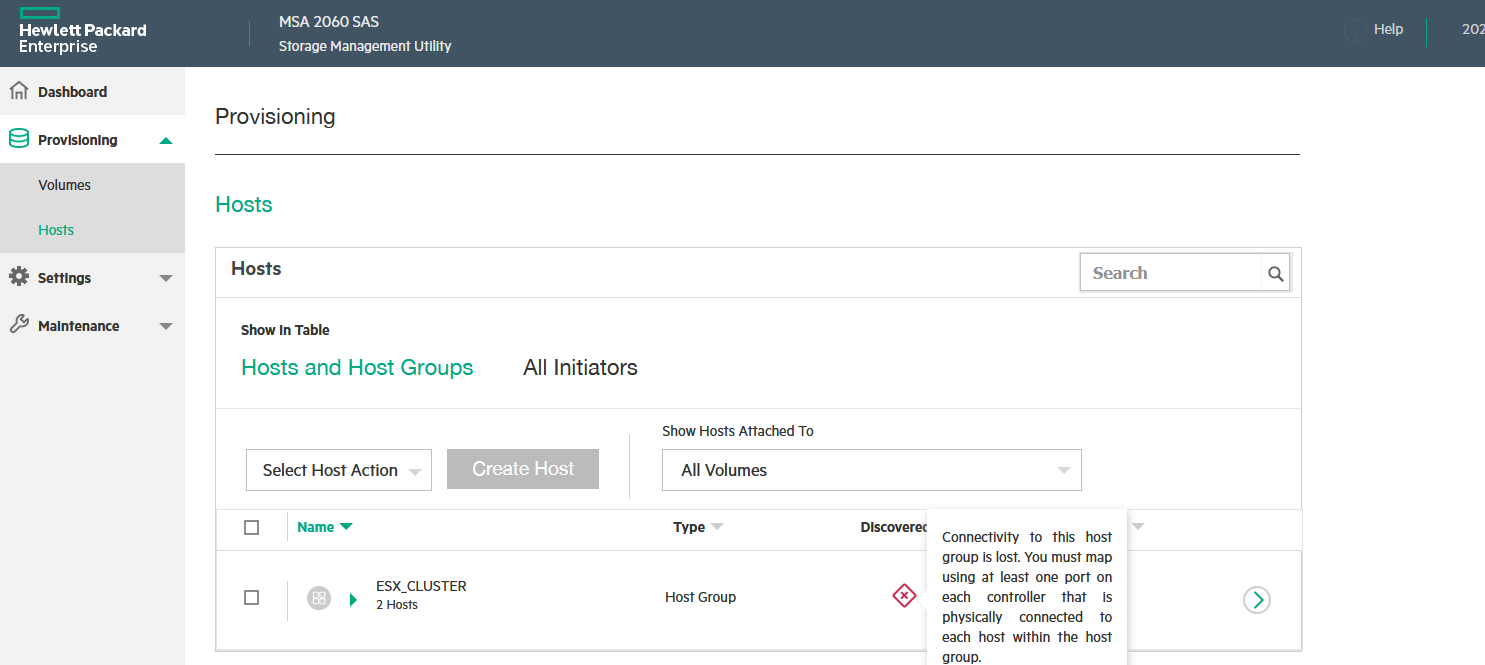
You show MSA2040 SMU. We have MSA2060 SMU.
- Mark as New
- Bookmark
- Subscribe
- Mute
- Subscribe to RSS Feed
- Permalink
- Report Inappropriate Content
09-16-2021 02:01 AM
09-16-2021 02:01 AM
Re: MSA preboarding relaunch
Hello @_Vicente,
In your interface, it must be in 'Help' button.
Regards,
Srinivas Bhat
If you feel this was helpful please click the KUDOS! thumb below!
Note: All of my comments are my own and are not any official representation of HPE.
I work at HPE
HPE Support Center offers support for your HPE services and products when and how you need it. Get started with HPE Support Center today.
[Any personal opinions expressed are mine, and not official statements on behalf of Hewlett Packard Enterprise]
- Mark as New
- Bookmark
- Subscribe
- Mute
- Subscribe to RSS Feed
- Permalink
- Report Inappropriate Content
09-16-2021 02:43 AM
09-16-2021 02:43 AM
Re: MSA preboarding relaunch
Hello Srinivas
Don't works. The dashboard help is showed.
Regards
Vicente
- Mark as New
- Bookmark
- Subscribe
- Mute
- Subscribe to RSS Feed
- Permalink
- Report Inappropriate Content
09-16-2021 03:11 AM
09-16-2021 03:11 AM
Re: MSA preboarding relaunch
Can you please send the screenshot of what you are getting in 'Help'.
Regards,
Srinivas Bhat
I work at HPE
HPE Support Center offers support for your HPE services and products when and how you need it. Get started with HPE Support Center today.
[Any personal opinions expressed are mine, and not official statements on behalf of Hewlett Packard Enterprise]
- Mark as New
- Bookmark
- Subscribe
- Mute
- Subscribe to RSS Feed
- Permalink
- Report Inappropriate Content
09-16-2021 07:05 AM
09-16-2021 07:05 AM
Re: MSA preboarding relaunch
Hi.
I not able to upload the picture. My insert imagen icon is disable. The image before uploaded was linked to a internet url,
Help option show the "standart" windows help. Whit a left frame with index.
Regards
Vicente
- Mark as New
- Bookmark
- Subscribe
- Mute
- Subscribe to RSS Feed
- Permalink
- Report Inappropriate Content
09-16-2021 09:53 AM
09-16-2021 09:53 AM
Re: MSA preboarding relaunch
Hello @_Vicente,
In MSA 2060/2062, it is Help > Getting started > Expand Getting started.

Regards,
Srinivas Bhat
If you feel this was helpful please click the KUDOS! thumb below!
Note: All of my comments are my own and are not any official representation of HPE.
I work at HPE
HPE Support Center offers support for your HPE services and products when and how you need it. Get started with HPE Support Center today.
[Any personal opinions expressed are mine, and not official statements on behalf of Hewlett Packard Enterprise]
- Mark as New
- Bookmark
- Subscribe
- Mute
- Subscribe to RSS Feed
- Permalink
- Report Inappropriate Content
09-17-2021 02:02 AM
09-17-2021 02:02 AM
Re: MSA preboarding relaunch
Hello Srinivas.
I am not able to understand your message.
I only see it. I can't run anything.
It don't show how relaunch the preboarding.
regards
Vicente
- Mark as New
- Bookmark
- Subscribe
- Mute
- Subscribe to RSS Feed
- Permalink
- Report Inappropriate Content
09-17-2021 08:33 AM
09-17-2021 08:33 AM
Re: MSA preboarding relaunch
Those 3 sections in 'Getting started' contain all the information in preboarding.
Regards,
Srinivas Bhat
If you feel this was helpful please click the KUDOS! thumb below!
Note: All of my comments are my own and are not any official representation of HPE.
I work at HPE
HPE Support Center offers support for your HPE services and products when and how you need it. Get started with HPE Support Center today.
[Any personal opinions expressed are mine, and not official statements on behalf of Hewlett Packard Enterprise]
- Mark as New
- Bookmark
- Subscribe
- Mute
- Subscribe to RSS Feed
- Permalink
- Report Inappropriate Content
09-17-2021 11:41 AM
09-17-2021 11:41 AM
Re: MSA preboarding relaunch
Hello.
I had already read it. So I understand that there is no way to relaunch the preboarding.
Regards
Vicente
- Mark as New
- Bookmark
- Subscribe
- Mute
- Subscribe to RSS Feed
- Permalink
- Report Inappropriate Content
09-19-2021 09:44 PM
09-19-2021 09:44 PM
Re: MSA preboarding relaunch
Hello @_Vicente,
You can create a new dummy user. Login with that user id for the first time. You will get the pre-boarding screen.
Regards,
Srinivas Bhat
If you feel this was helpful please click the KUDOS! thumb below!
Note: All of my comments are my own and are not any official representation of HPE.
I work at HPE
HPE Support Center offers support for your HPE services and products when and how you need it. Get started with HPE Support Center today.
[Any personal opinions expressed are mine, and not official statements on behalf of Hewlett Packard Enterprise]

- Mark as New
- Bookmark
- Subscribe
- Mute
- Subscribe to RSS Feed
- Permalink
- Report Inappropriate Content
09-21-2021 10:58 AM
09-21-2021 10:58 AM
Re: MSA preboarding relaunch
Hi Vincent,
In the CLI --> set user-interactions onboarding-step 0
This is a service tech command and should be used with caution. This command will not impact your data but could avoid key process steps for initial setup which would put your system into a non-best practice configuration.
Once you are complete in your configuration I would suggest you go out to the MSA HealthCheck to validate best practices: www.hpe.com/storage/MSAHealthCheck
I work at HPE
HPE Support Center offers support for your HPE services and products when and how you need it. Get started with HPE Support Center today.
[Any personal opinions expressed are mine, and not official statements on behalf of Hewlett Packard Enterprise]